
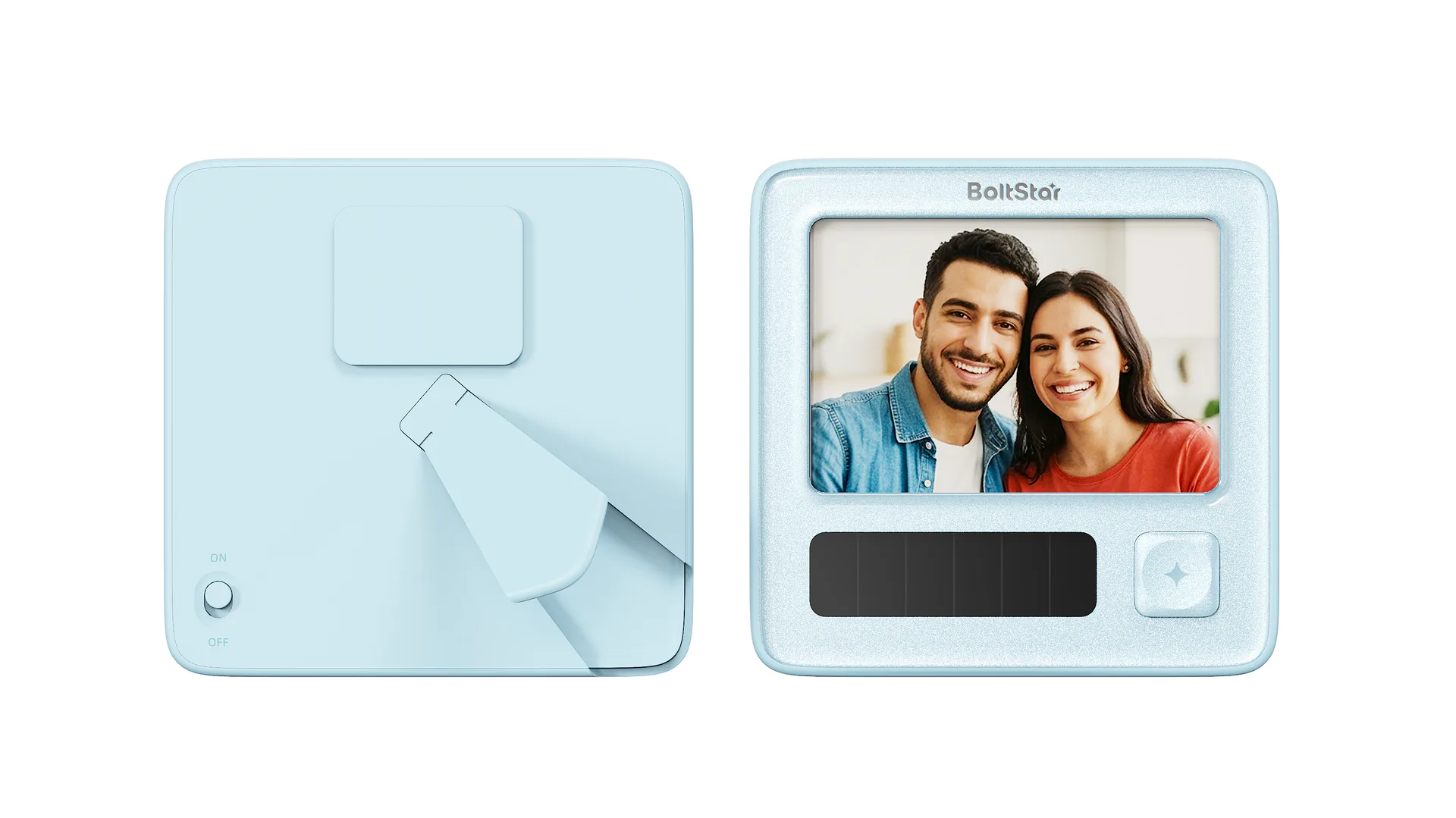
Check the model first
Check the model on the product label, packaging or order documents. EF6-370 and EF6-589 instructions must match the hardware and software you received. The catalogue helps with selection; the official guide sets installation, power and operating requirements.
Frame power and image controls
According to the frame instructions, the rear power button turns the frame on or off. Press the front star button once for the next photo or twice for the previous photo. Holding it for 3 seconds deletes the current photo; check the image before doing so. These instructions apply to the verified frame models, not ID cards or other products.
Connect and update photos
Register and sign in to the matching app or mini program, then follow its interface to pair the device. Select a local photo or take one, resize or rotate it as needed, and send it to the paired frame. Device and album management let you manage devices and previous images; menus may differ by software version.
What if the image does not update?
Check the model, power status, Bluetooth or network connection and the paired device. Keep the error message and time it occurred. If the issue remains, tell product support the model, software version and steps taken. Do not submit passwords, payment details or a complete private photo album.
Light power and other models
Light-assisted charging depends on the environment and use; a retained image does not tell you the battery level. Use the specific official instructions for ID cards, shelf labels, home and outdoor products. We do not provide generic wiring or installation steps for unconfirmed models.